Compass: Accurate Compass
Prometheus Interactive LLCMaps & Navigation
4.5936.00 Reviews
- Version
- Varies With Device
- Installs
- 5.00M
- Age Rating
- Everyone
Screenshots
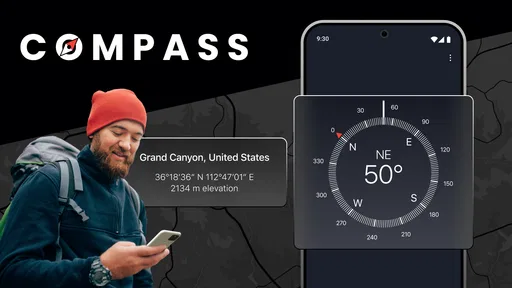
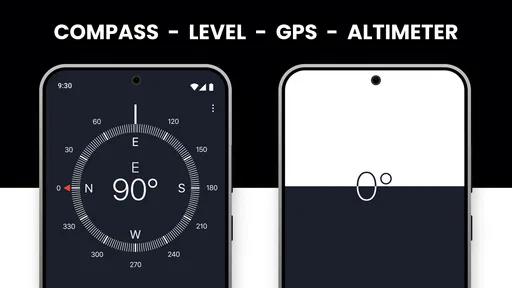
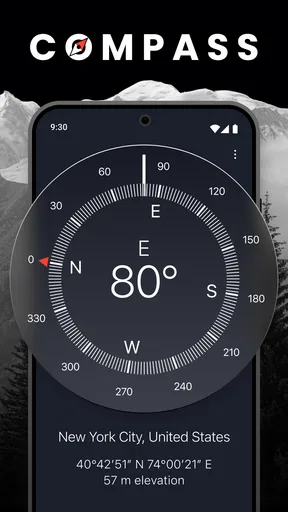
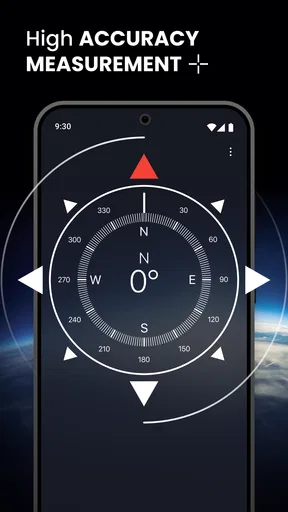
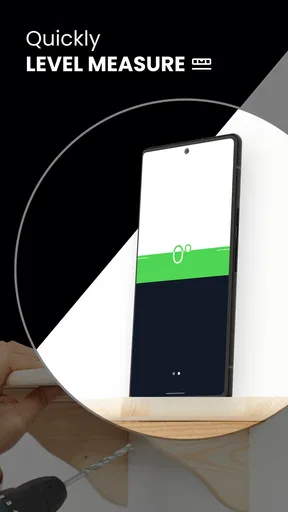
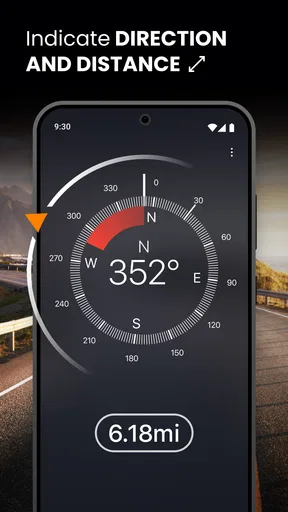
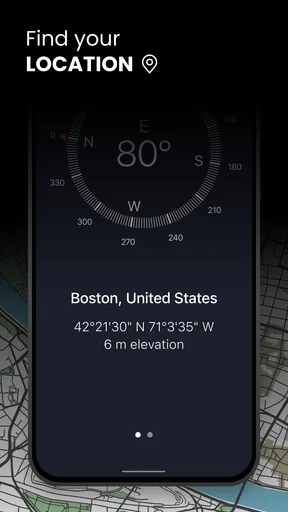
Our Review of Compass: Accurate Compass
 Analysis by Appyee
When a compass app seems to point somewhere unexpected, it is easy to assume the app is broken. In practice, the phone’s position, nearby objects, and the way you hold it can all affect a reading. I find Compass: Accurate Compass most useful as a quick orientation aid: it can help me identify a direction before I set off, but I would not treat a phone compass as a substitute for a map, a planned route, or a physical compass on a demanding trip.
Getting a dependable reading
I treat a compass reading as a starting point, not a verdict: first I check that the phone is held steadily and away from obvious sources of interference, then I compare the direction with a landmark or map. That simple pause helps me tell a useful reading from a misleading one before I act on it. Next, I look at the small setup habits that make those checks more dependable.
Where people can get stuck
The interface is deliberately simple, which is a strength when you only need to check north quickly. The trade-off is that a changing or jumpy needle may leave you wondering whether you have done something wrong. A compass depends on the phone’s sensors, so the reading can be disturbed by nearby metal or electronic equipment, or by how the device is held. I would first move away from the source of interference and hold the phone steady rather than immediately blaming the app.
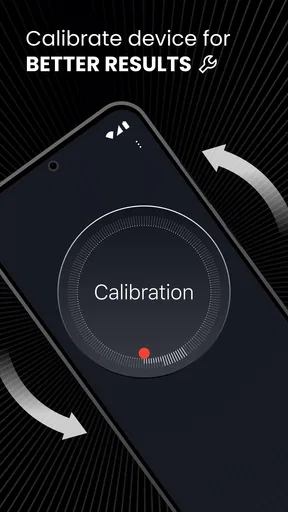
Calibration is another common point of friction. If the direction looks implausible, slowly move the phone through a few broad figure-eight motions, then pause and check the display again. Keep it away from a car, magnetic case, speakers, or other objects that could affect the sensor while testing. This is a practical check, not a promise that every device will behave identically; sensor quality and surroundings both matter.
Setup checks before setting out
Before relying on a direction outdoors, I would open the app somewhere clear of obvious metal and compare its response as I turn in place. Hold the phone flat and rotate your body gradually, rather than waving the device around. If the display remains erratic, close and reopen the app, check that the phone itself is responding normally, and repeat the test in a different spot. These small steps help separate a temporary sensor disturbance from a persistent device issue.
The app is a focused Maps & Navigation utility from Prometheus Interactive LLC. It is free to download, with optional in-app purchases listed from $0.99 to $99.99 per item, and it is rated for Everyone. Its 4.7 average from around 46,000 ratings and more than five million installs suggest that many people use it, but popularity does not make any phone’s compass infallible. I would still verify direction against visible landmarks or a map when the decision matters.
Recovering your workflow when readings look wrong
One useful habit is to separate “which way am I facing?” from “which way should I travel?” The compass can help with the first question; the second needs a destination and a route. If I am following a trail, I check the map, identify a landmark in the direction I intend to go, and then use the compass to keep roughly aligned while walking. That avoids staring at the screen and mistaking a momentary wobble for a route change.
If a reading becomes unreliable mid-walk, I stop in a safe place, move away from nearby metal, recalibrate with a gentle figure-eight motion, and check again. I do not keep walking while troubleshooting, especially near traffic, steep ground, or a trail junction. If it still does not settle, I switch to a paper map, a separate navigation tool, or familiar landmarks instead of repeatedly tapping the screen and hoping for a better result.
When the phone is not the cause
Sometimes the problem is not the compass at all. A dense group of buildings can make it harder to use distant landmarks, while a wooded trail may offer few visible reference points. In those situations, a direction reading by itself cannot tell me whether I am on the correct path. A map with a marked route, trail signs, or a known destination gives the compass context; without that context, north is only a direction.
It is also worth being realistic about phone navigation. A compass does not remove the need to keep the battery charged, protect the phone from weather, or plan for places where using a screen is awkward. On a longer outing, I would download or carry whatever route information I need beforehand and bring a backup that does not depend on the phone. For a casual walk around town, that may be more preparation than necessary; for remote terrain, it is sensible.
How it fits everyday navigation
For a simple city use, imagine leaving a station in an unfamiliar neighborhood and knowing that your hotel is somewhere east of you. Rather than walking in circles while studying street names, you can check your general heading, choose a recognizable street, and then confirm the route with a map. The compass is helpful for that first orientation step, but it is not a turn-by-turn navigator. If you need addresses, traffic-aware routing, or step-by-step directions, a full navigation app is the better tool.
On a hike, the balance changes. The compass can be a quick reference when a trail bends or a clearing makes it hard to tell which direction you are facing. A dedicated handheld compass is still preferable for someone navigating seriously, since it is not dependent on a phone’s charge or sensors. For an occasional day walk, this app can be a convenient companion, provided I treat it as one part of a broader plan rather than the whole plan.
Features That Stand Out
Let’s dive into the nitty-gritty of what this app offers. One of the first things I noticed was its incredible accuracy. I put it to the test on a recent hike, and it didn’t miss a beat. The compass needle is responsive and stable, which is crucial when you’re out in the wild.
Another handy feature is the ability to lock your current direction. I found this super useful when I was trying to stay on course during a run. Just tap the screen, and boom, your direction is locked. No more veering off into unknown territories unless that’s your thing.
Customization and Usability
I’m also a fan of how customizable the app is. You can choose different compass styles, which is a fun way to personalize your experience. Plus, the app offers both magnetic and true north readings. This might sound a bit technical, but trust me, having the option to switch between the two is a game-changer, especially if you’re a navigation nerd like me.
For ordinary errands, I would usually reach for a map app first because it answers practical questions such as which street to take and where a destination is. This compass is more direct when I only need a heading, and its simpler focus makes a quick check less involved. The choice is not really between one tool replacing the other: a map app gives route context, while a compass provides orientation. If you are choosing one app for all navigation, a full map service is more useful; if you want a lightweight direction check alongside other tools, this one makes more sense.
Now, I know what you’re thinking: "But what if I’m using this in the city?" No worries, the app has you covered with its built-in map feature. It’s not just for wilderness explorers. Whether you’re trying to find your way around town or just figure out which way your hotel is, this app has got your back.
Performance and Reliability
In terms of performance, Compass: Accurate Compass is solid. I didn’t experience any crashes or glitches, and the app runs smoothly, even on older devices. It doesn’t hog your battery either, which is always a plus when you’re out and about.
I did a little digging, and the app uses your phone’s built-in sensors to deliver precise compass readings. Pretty neat, right? Just make sure your phone is calibrated, and you’re good to go.
One detail worth keeping in mind is the difference between magnetic and true north. For casual orientation, I would usually choose whichever reference matches the map or directions I am using. If I am comparing a compass reading with a route description, mismatched references can make the numbers seem contradictory even when the device is functioning normally. Switching settings is useful only when I know which reference the other source uses; otherwise, the extra choice can add confusion rather than clarity.
Who will get the most from it
I would recommend this kind of tool to people who already know how they want to navigate and sometimes need a fast directional check: walkers exploring a new area, runners trying to keep a general heading, or travelers orienting themselves after emerging from a station. The direction lock can be handy when maintaining a heading matters more than following a street-by-street route. The app’s simple purpose is also appealing if you do not want to open a feature-heavy navigation service just to find north.
I would skip relying on it as my only navigation method if I were planning a remote hike, navigating in poor visibility, or traveling somewhere I could not easily retrace my steps. It is also not the right choice for someone who expects automatic route planning or turn-by-turn guidance from a compass. In those cases, a map-and-route app or a physical compass paired with a map is a better fit. A phone compass is most convincing as a convenient helper, not as a complete safety system.
Final Thoughts
So, is Compass: Accurate Compass worth downloading? In my opinion, absolutely. It’s a reliable tool that’s both simple and effective. Whether you’re an avid hiker, a city wanderer, or just someone who likes having a trusty compass at their fingertips, this app won’t disappoint.
And hey, it’s free to download, so why not give it a try? Head over to your app store and see for yourself why this little app is making such a big impact. Just remember to keep your phone charged and happy exploring!
Verdict
Strengths of Compass: Accurate Compass
- User-friendly interface with clear visuals.
- High accuracy in determining directions.
- Works offline without internet connection.
- Lightweight app with minimal battery usage.
- Customizable settings for personalized use.
Limitations of Compass: Accurate Compass
- Contains ads that can interrupt usage.
- Limited features in the free version.
- May not work well on older devices.
- Some users report occasional calibration issues.
- No advanced features like GPS integration.
Other Releases by Prometheus Interactive LLC
View All
Sound Booster・Increase Volume
Music & Audio4.8

Screen Recorder: Facecam Audio
Video Players & Editors4.4

GPS Navigation: Live Earth Map
Travel & Local4.0

Logo Maker : Graphic Designer
Business4.6
Similar Picks in This Category
View All
Uber - Request a ride
Uber Technologies, Inc.4.7


inDrive. Rides with fair fares
® SUOL INNOVATIONS LTD4.8

Yandex Go: Taxi Food Delivery
Mikromobilnost LLC Belgrade4.8

Bolt: Request a Ride
Bolt Technology4.8

Rapido: Bike-Taxi, Auto & Cabs
Rapido Bike Taxi4.8
Frequently Asked Questions
How accurate is the Compass: Accurate Compass app?
The Compass: Accurate Compass app is designed to provide precise directional information using your device's built-in sensors. It calibrates automatically by using the magnetic field sensor to ensure accuracy. However, environmental factors such as magnetic interference from electronic devices or metal objects can affect its precision. To maintain accuracy, keep your device away from these disturbances.
Does the Compass: Accurate Compass app require an internet connection?
No, the Compass: Accurate Compass app does not require an internet connection. It utilizes the device's internal sensors to provide real-time directional data. This makes it highly useful in remote areas or during activities like hiking and camping where internet connectivity might be limited or unavailable.
Is the Compass: Accurate Compass app compatible with all devices?
The Compass: Accurate Compass app is compatible with most Android and iOS devices that have a magnetometer sensor. To check compatibility, ensure your device has the necessary hardware for compass functionality. Older models without a magnetometer might not support the app's features effectively.
Can I use the Compass: Accurate Compass app for navigation?
While the Compass: Accurate Compass app provides accurate directional information, it is primarily designed for orientation rather than navigation. It is best used alongside maps or GPS systems when plotting routes. For comprehensive navigation, integrating it with a mapping app can enhance your overall experience.
How can I calibrate the Compass: Accurate Compass app?
To calibrate the Compass: Accurate Compass app, simply move your device in a figure-eight motion. This helps the app to recalibrate and increase accuracy. The app may prompt you to recalibrate if it detects inaccurate readings. Regular calibration is recommended for optimal performance, especially after significant changes in location.
